Supercharge your support teams with AI assistance
Embedded AI features that help agents triage tickets, write better responses, and resolve issues without switching between tools. Built right inside the ticket view for instant impact.

.png)
AI built for every step of ticket resolution

Flag tickets at risk of breaching SLAs before they escalate

Guide agents to the highest-priority ticket in their inbox

Detect tone and urgency from ticket data in real time

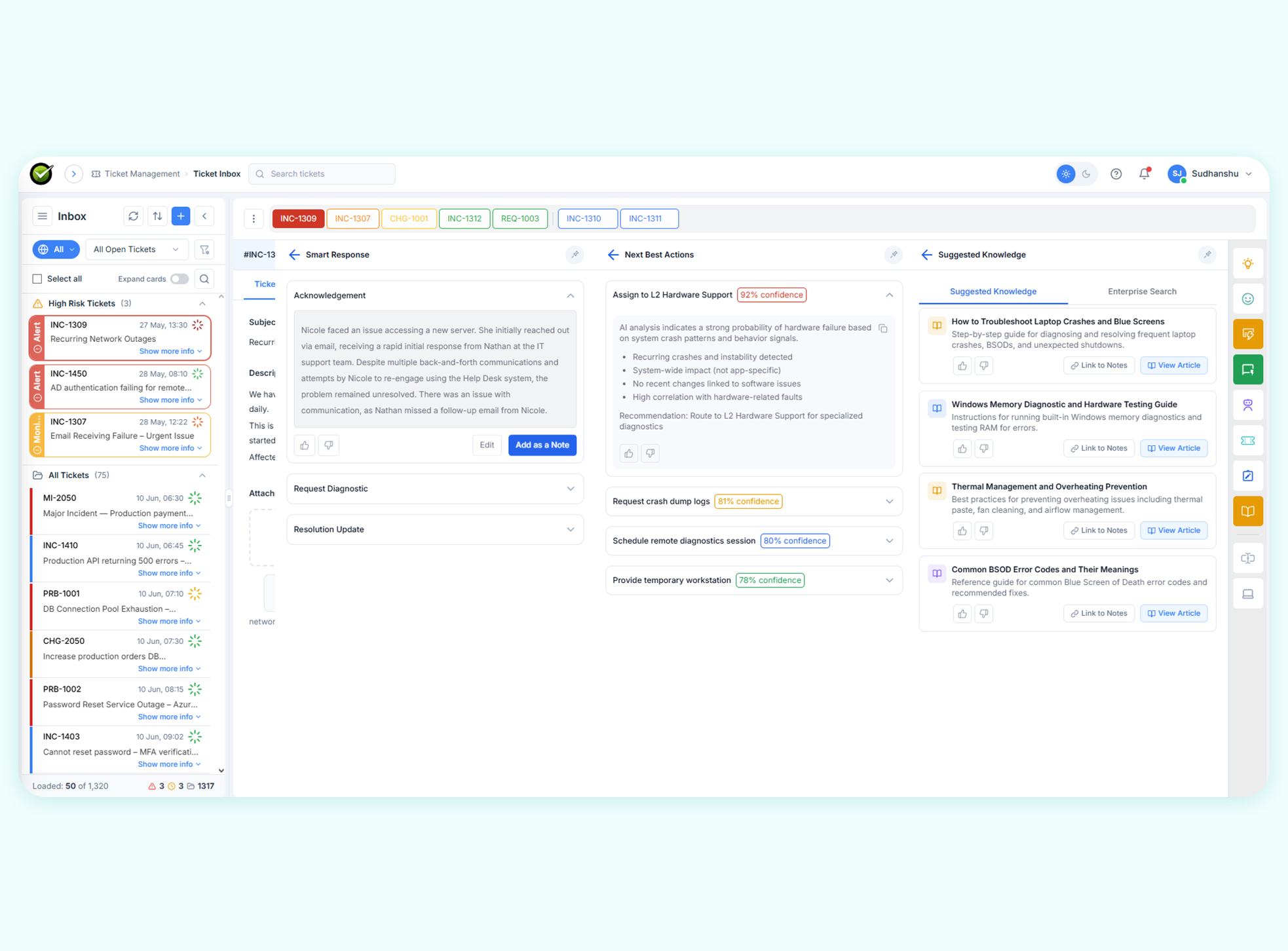
AI-recommended steps to move each ticket toward resolution

Generate accurate, knowledge-grounded reply drafts instantly

On-demand AI answers surfaced right inside the ticket view

Speed up resolution by learning from past matching tickets

Step-by-step AI troubleshooting guided by knowledge and history

Upshift support fulfillers' productivity with AI Agent Assist
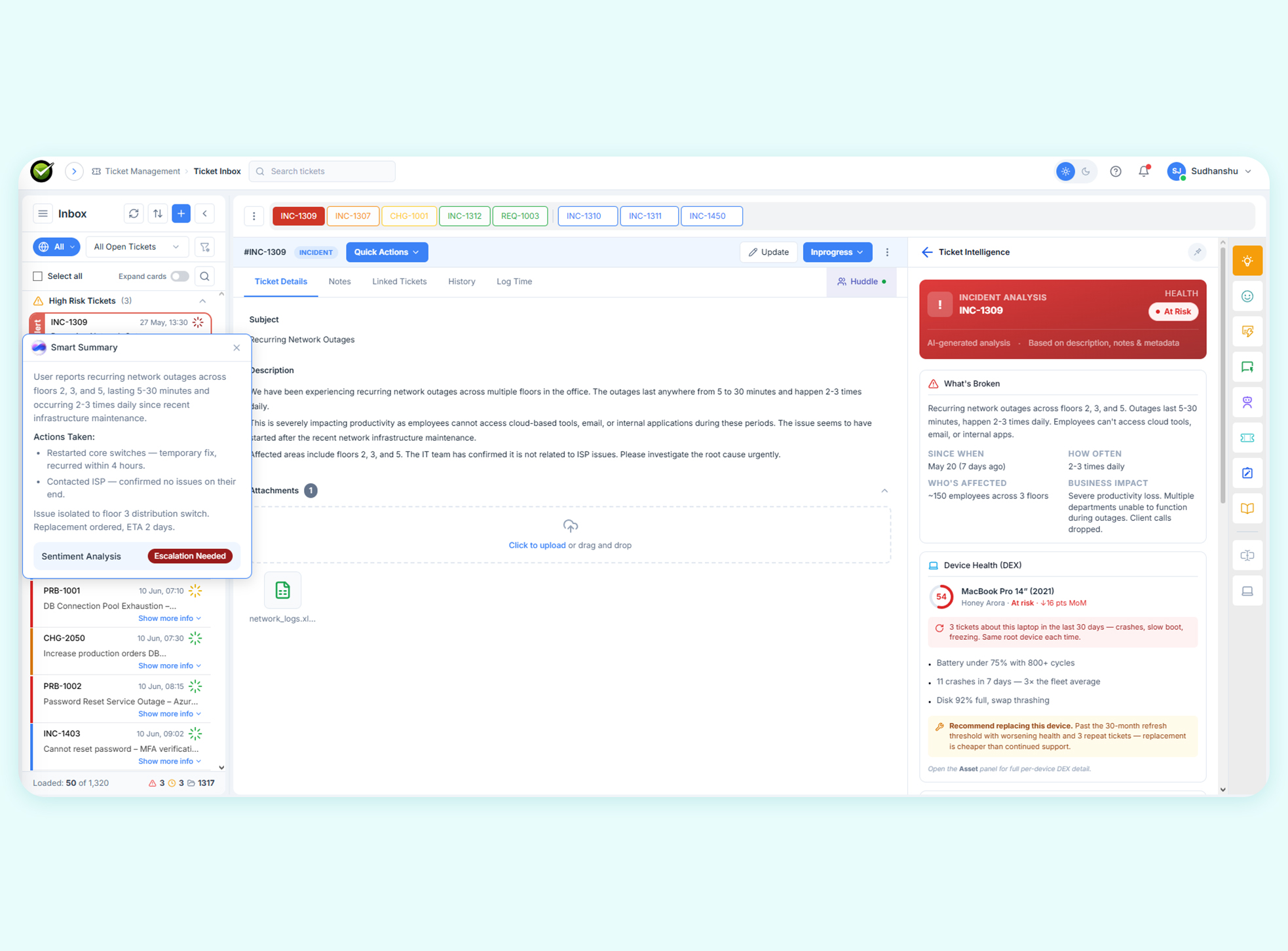
Stop relying on gut instinct to prioritize work. Agent Assist scores every open ticket for risk and guides agents to what needs attention first.
Give agents the context they need to reply right the first time. Smart Response and Next Best Actions draw from your knowledge base and past tickets to generate accurate, relevant content.
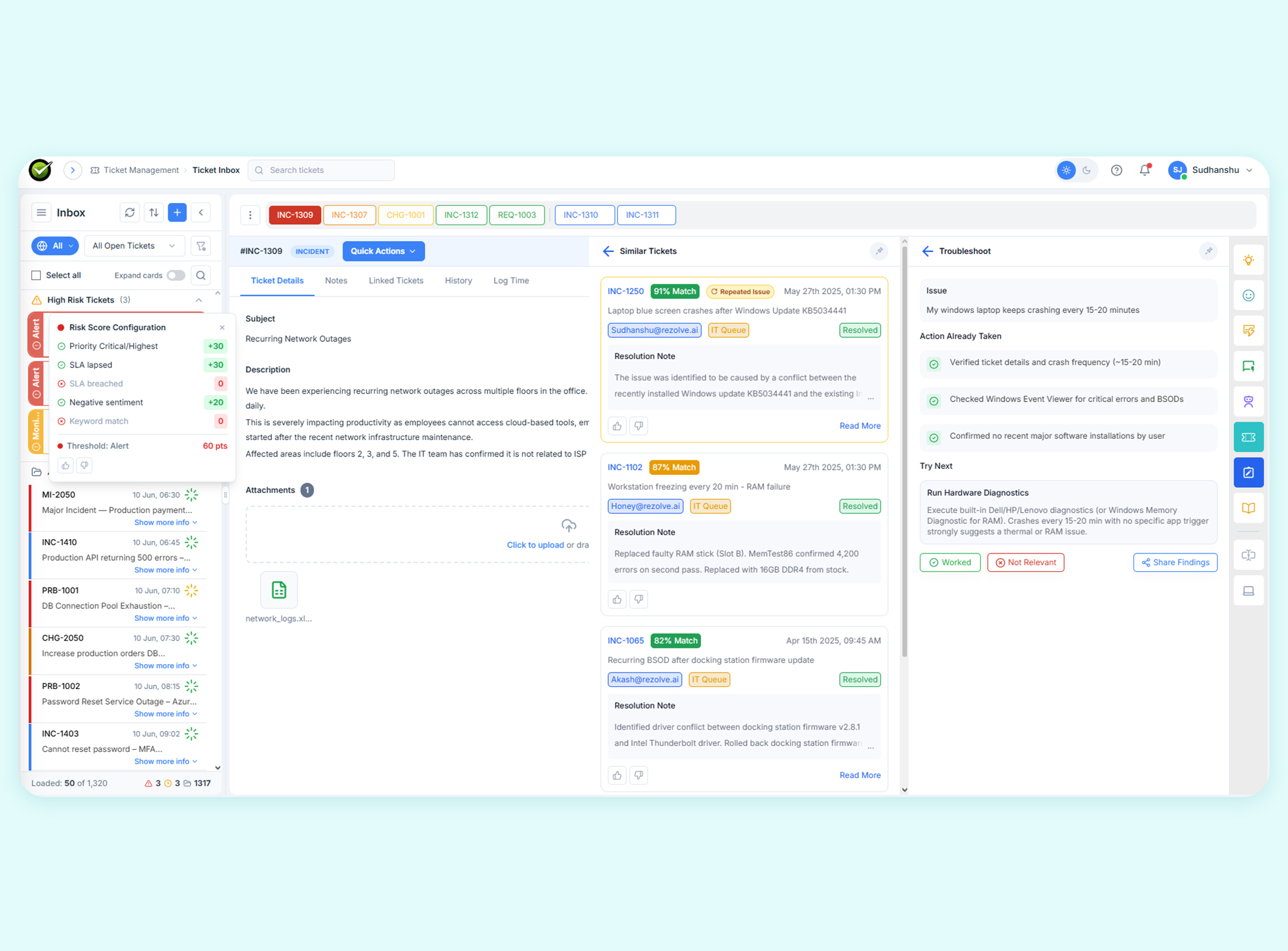
Agents no longer need to start from scratch on tough issues. Troubleshoot and Similar Tickets bring proven resolution paths directly into the ticket view.
Agent Assist refreshes automatically, so agents always see the most relevant insights, without reloading or re-triggering anything manually.

Learn, Watch & Explore
Videos, blogs, and webinars to help you discover what’s next in Agentic AI.





FAQs
Agent Assist is a set of Agentic AI features built directly into the ticket view of your IT service desk. It helps support agents triage faster, write better responses, and resolve tickets without switching between tools. Features like Smart Response, Troubleshoot, and Ask Sidekick work together to put the right information in front of the agent at the right moment.
Agent Assist reduces resolution time by eliminating manual effort at every step of the ticket lifecycle. Agents get AI-ranked ticket priorities, instant reply drafts, similar ticket references, and step-by-step troubleshooting guides, all inside the ticket sidebar. Less searching means faster resolving.
Different features draw from different sources depending on what they need. All features read ticket fields such as subject, description, priority, and SLA. Features like Smart Response, Ask Sidekick, Troubleshoot, and Next Best Actions also draw from your knowledge base and past tickets for more contextual and accurate outputs.
Yes. A tenant admin can toggle each Agent Assist feature on or off independently from the Agentic AI Settings panel. Admins can also control which data sources the AI is allowed to read, such as the knowledge base or past tickets. Disabling a data source automatically greys out any feature that depends on it.
Yes. Agent Assist is designed to add value across both L1 and L2 support. For L1, it speeds up triage and automates routine responses. For L2, deeper features like Troubleshoot, Similar Tickets, and Sidekick provide the contextual intelligence needed to handle more complex issues quickly and accurately.