
Creating SmallTalk

1. Click on Knowledge Mgmt in the navigation pane on the left of your console
2. Click on Manage SmallTalk in the navigation pane on the left of your console

3. Click + next to ADD A NEW SMALL TALK

4. Type the phrase and response
NOTES:
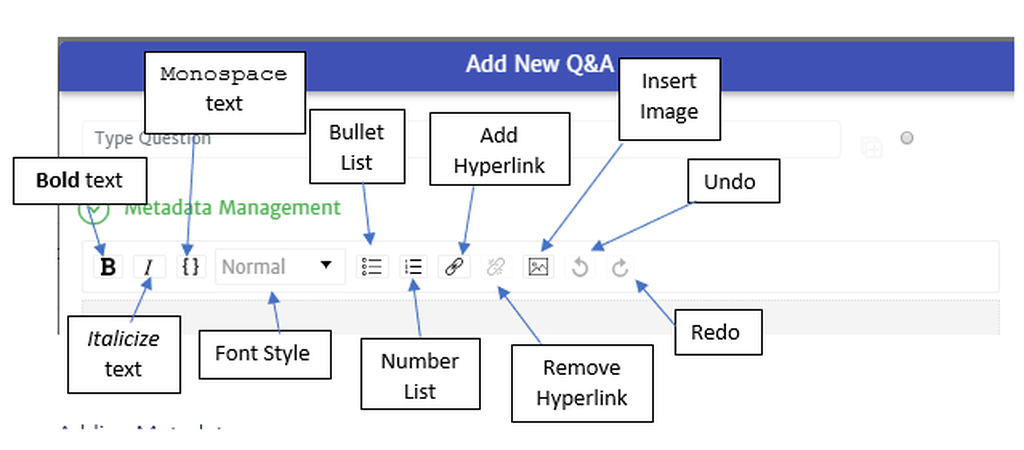
- Small Talk has the same text editor toolbar as Manage Q&A.
- Unlike other dialogues, small talk needs to be an exact match to what the user asks. You may need to add a variant.

5. Click on Save

Thank you! Your submission has been received!
Oops! Something went wrong while submitting the form.