
Employee Portal Software: Why Nobody Uses the One You Have
Why does employee portal adoption stay low? Discover what the portal is really competing against—and how bringing answers and actions into employees’ existing channels creates a faster route to support.
.png)
Consider this scenario. An employee wants to know how much leave they have left. Your organization has a portal that will tell them in about four clicks, and it cost a considerable amount of money to build.
What they actually do is message a colleague on Teams and ask.
Every HR and IT leader I speak to recognizes this pattern immediately, and most of them have spent real budget trying to fix the portal, whether it is a redesign, a better search box, a campaign to remind people it exists, or a mobile app. Adoption goes up for a few weeks and then settles back roughly where it was.
I would argue the reason adoption settles back is that the problem is not the portal's design. The problem is the portal's premise, which is that the employee will travel to the portal. Almost everything written about employee portal software is about making that destination more attractive with better navigation, cleaner interface, personalized tiles on the home page, etc. Very little of it questions whether the employee should be visiting the portal at all.
What is employee portal software, and what was it supposed to solve?
An employee portal, sometimes sold as employee self-service software and sometimes as an HR portal, is a single place where employees go to do the administrative things their job requires. E.g., Check a payslip, book leave, update an address, find the travel policy, enroll in benefits, raise a request to IT and so on.
The problem it was built for was real and has not gone away. Before portals, all of that arrived at HR and IT as phone calls, emails and people appearing at a desk, every one of them consuming somebody's time to produce an answer that was already written down somewhere. Self-service was a genuine advance.
What has changed is not the problem. What has changed is that a better answer to that problem now exists, and the portal is no longer the only way to give employees access to their own information.
Why do employees avoid the portal?
They have to know where the thing lives inside it. Navigating a portal means knowing how your organization is structured, i.e. knowing that parental leave sits under Benefits rather than Leave, that the travel policy is under Finance rather than Operations. You are asking the employee to hold a mental model of the org chart in order to ask a question about themselves.
It needs a login, and often a separate one. Single sign-on helps at a desk on the corporate network. It helps much less at nine in the evening on a personal phone, which is when a lot of these questions actually occur to people.
It is organized by category, and employees arrive with situations. Somebody who has just been told they need physiotherapy does not think "benefits enquiry, medical, coverage limits." They think "am I covered for this, and what will it cost me." The portal offers the first taxonomy and the employee is carrying the second.
It answers with documents. The reward for finding the right page is frequently a forty-page PDF containing the answer somewhere. A document containing the answer is not a service. It is a filing system with a search box.
A large part of the workforce cannot reach it at all. Anyone on a factory floor, a depot, a ward, a store or a site has no browser open, often no corporate email address, and a shift that does not overlap with the hours HR is available. For those employees the portal has never existed in any practical sense.
None of these five are design failures that a redesign will fix, which is why the redesigns keep not fixing them. All five are consequences of the destination model itself.
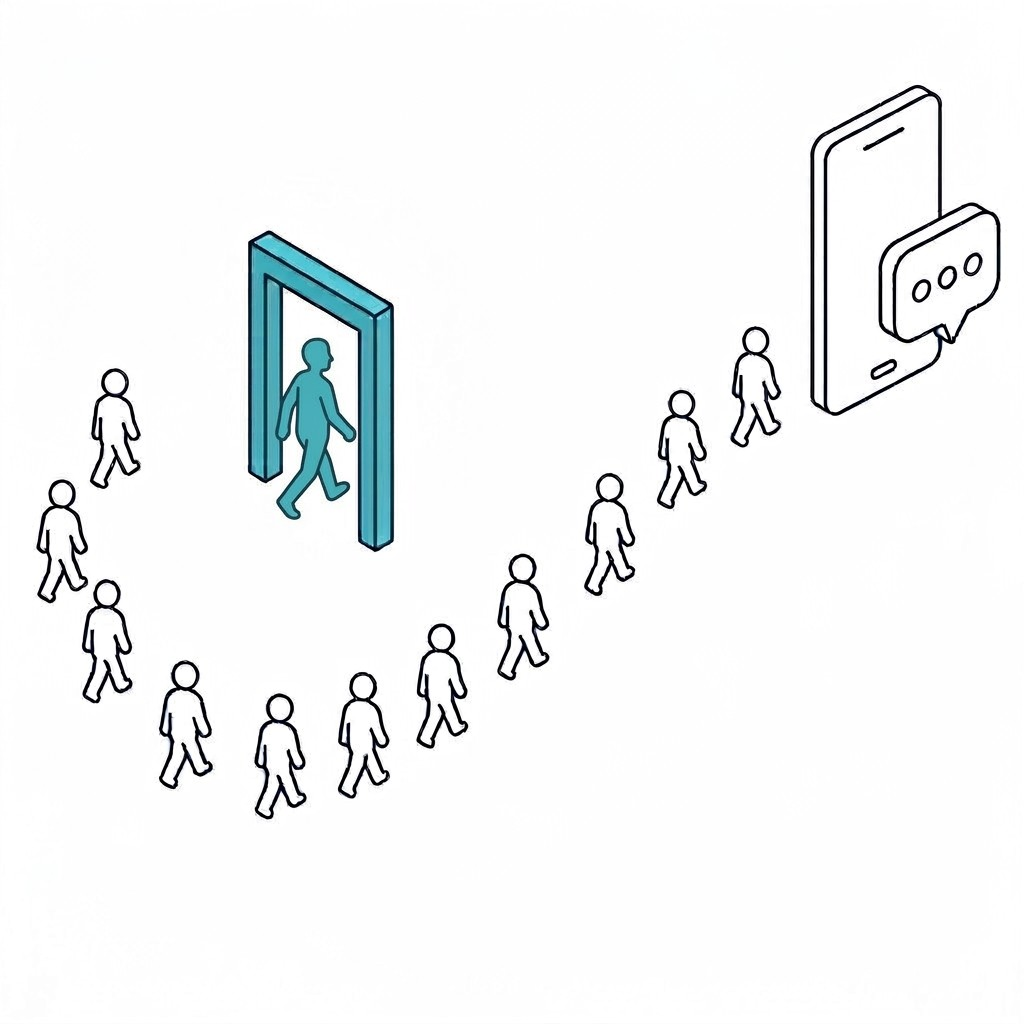 Most employees take the faster route. Some still prefer the door i.e. the portal.
What changes when the capability cmomes to the employee instead
The alternative is straightforward to describe and takes some work to build: instead of the employee travelling to a portal, the portal's capability travels to wherever the employee already is like Microsoft Teams, Slack, email, the mobile app, or the phone. No new destination, no separate login, and no requirement to know that parental leave is filed under Benefits.
They ask in their own words, about their own situation. "Am I covered for physio" is a perfectly good question, and the system should answer it for that specific employee, their plan, their location, and their employment class rather than returning the benefits handbook and wishing them luck. The answer arrives as an answer rather than a link to a document containing one, citing the clause it came from so the employee can check and HR can show what was said.
Then the request gets completed rather than explained. If the employee wanted to book the leave rather than read the leave policy, the leave gets booked. Completion is the part most self-service software never reached, because a portal could show you a form but somebody still had to process what you submitted.
Deskless employees are included by default, because a phone line reaching the same intelligence as the chat window is the difference between covering your whole workforce and covering the half of it that sits at desks.
Should you scrap the portal?
I should declare something here, because it is relevant. I have been predicting the death of the portal for a while, publicly and fairly often, and I still think the destination model is finished as the primary way employees get help.
We built one anyway.
The reason is not a change of mind. It is that there still exist pockets of employees who genuinely prefer a portal, people who want to see the whole catalogue laid out, tasks that are easier in a full interface, and populations in some organizations who will not adopt a chat channel regardless of how good it is. As a service delivery leader you do not get to serve only the employees who work the way you would like them to. You meet every pocket where it already is, and you nudge rather than insist.
Refusing to serve those employees would not have been a principle. It would have been an inconvenience we chose to pass on to them.
What we did instead was rebuild the portal so it no longer behaves like a destination.
What an AI-native portal changes
Take the five failures above in order.
The front door is a question box rather than a navigation tree. An employee types "need help with software installation on my device" in their own words. Nobody has to know that software requests live under IT rather than under Procurement, and nobody has to hold a mental model of the org chart to ask about their own laptop.
The catalogue is personalized. Services are segmented by role, department and entitlement, so people see what applies to them rather than everything the organization offers. Recently viewed items and favorites sit at the top, because most employees use a handful of services repeatedly and should not have to find them again each time.
Answers come from knowledge, not from a document library. The knowledge base is searched intelligently and returns the answer rather than the file that contains it with the same grounding, the same citation, the same personalization as every other channel.
And it hands people off on purpose. Chat with an agent is one of the four primary actions on the front page, and the portal actively nudges employees toward Teams and Slack where the experience is faster. A portal designed to reduce its own traffic is an unusual thing to build, and it is the clearest evidence that we did not simply redecorate the old model.
Where Rezolve.ai fits?
Declared interest: this is what we build, so read this as an argument rather than a survey.
What we actually provide is an experience layer with several modes of accessibility and interaction, like Microsoft Teams, Slack, VoiceIQ on the phone, a mobile app, a web widget, email, and the portal. The employee picks whichever suits the moment they are in, and every one of those modes runs on the same intelligence underneath.
That last part is what makes it work. The answer to a leave question is the same whether it arrives in Teams, over the phone or in the portal, because every mode is grounded in the same policy documents, takes account of the same entitlements, and can complete the same requests.
The portal is one mode among several rather than the front door everyone is funneled through. For employees who prefer it, it is a considerably better portal than the one it replaced. For everybody else, it stays out of the way.
What to ask before you buy?
Ask what the adoption rate is at a comparable organisation. Not deflection - adoption. What proportion of employees used it at all last month. Portal projects have a long history of good launch numbers and poor sustained use, and this is the number that exposes it.
Ask what a deskless employee does at six in the morning. If the answer involves a browser, a large part of your workforce is not covered by whatever you are buying.
Ask the same question as two different employees. Different country, different employment class, and see whether the answers differ. If they do not, the system cannot personalize, whatever the datasheet claims.
Ask what happens after the answer. If nothing changes in any of your systems when the conversation ends, you have bought a better search box for the same portal.
Where this leaves you
Go back to the employee at the start, the one who wanted to know how much leave they had left and messaged a colleague instead. Nothing about that choice was irrational. The colleague was faster, required no login, understood the question as it was asked, answered for that specific person, and has never once responded with a forty-page PDF.
A colleague on Teams is what your portal is actually competing against, and that explains why every redesign delivers a few good weeks and then settles back. A better home page does not beat a colleague. What beats a colleague is putting the same capability in the same place the colleague already is, i.e. answering in the employee's own words, for their own situation, and completing the request rather than describing it.
Which is why I would not fund another portal redesign as the answer to poor adoption. Rebuild the portal by all means, and make it genuinely intelligent for the people who prefer it, but stop asking it to be the only way in. Give employees the choice of Microsoft Teams, Slack, phone, mobile, email or the portal, run all of them on the same intelligence, and let people use whichever fits the moment they are in.
The employee at the start of this article was not avoiding your portal because it was badly designed. They were choosing the fastest route to an answer, which is what everybody does. The work is making sure the fastest route is the one you built.
Last updated on September 16, 2026
Get summary with:
See the agentic service desk in action
Watch Rezolve.ai autonomously resolve real IT and HR tickets: governed, auditable, glass-box.
Frequently asked questions
1. What is employee portal software, and why do employees still avoid it?
An employee portal, sometimes sold as employee self-service or an HR portal, is a single place where employees go to do administrative tasks: check a payslip, book leave, update an address, find a policy, raise an IT request. The problem it solved was real, because before portals all of that arrived as phone calls, emails and people appearing at a desk. Employees avoid it for five reasons that no redesign fixes. They have to know where things live inside it, which means holding a mental model of the org chart. It needs a login, often a separate one, which is a problem at nine in the evening on a personal phone. It is organized by category while employees arrive with situations. It answers with documents rather than answers. And a large part of the workforce, anyone on a factory floor, ward, depot or store, cannot reach it at all.
2. Why do portal redesigns only work for a few weeks?
Because the problem is not the portal's design, it is the portal's premise. Every redesign assumes the employee will travel to the portal, and the fix is to make that destination more attractive with better navigation, cleaner interfaces and personalized tiles. What the portal is actually competing against is a colleague on Teams, who is faster, needs no login, understands the question as asked, answers for that specific person, and has never once replied with a forty-page PDF. A better home page does not beat a colleague. Adoption goes up briefly and then settles back roughly where it was.
3. What does it mean for the capability to come to the employee instead?
Instead of the employee travelling to a portal, the portal's capability travels to wherever they already are: Microsoft Teams, Slack, email, mobile, or the phone. No new destination, no separate login, no need to know that parental leave sits under Benefits. Employees ask in their own words about their own situation, so "am I covered for physio" gets answered for that person, their plan, their location and their employment class, with the clause cited so they can check it. Then the request gets completed rather than explained. If they wanted to book the leave rather than read the leave policy, the leave gets booked. And deskless employees are covered by default, because a phone line reaching the same intelligence as the chat window is the difference between serving your whole workforce and serving the half that sits at desks.
4. So should we scrap the portal entirely?
No. There are still a handful of employees who genuinely prefer a portal, people who want to see the whole catalogue laid out, tasks that are easier in a full interface, and populations who will not adopt a chat channel no matter how good it is. You do not get to serve only the employees who work the way you would like them to. The right move is to rebuild the portal so it stops behaving like a destination: a question box instead of a navigation tree, a catalogue personalized by role, department and entitlement, answers drawn from knowledge rather than a document library, and deliberate handoffs that nudge people toward Teams and Slack where the experience is faster. A portal designed to reduce its own traffic is an unusual thing to build, and it is the point.
5. How do we evaluate this before we buy?
Ask for the adoption rate at a comparable organisation, not the deflection rate. What proportion of employees used it at all last month? Portal projects have a long history of strong launch numbers and weak sustained use, and that is the figure that exposes it. Ask what a deskless employee does at six in the morning, because if the answer involves a browser, a large part of your workforce is not covered. Ask the same question as two different employees in different countries or employment classes and see whether the answers differ, because if they do not, the system cannot personalize whatever the datasheet says. And ask what happens after the answer. If nothing changes in any of your systems when the conversation ends, you have bought a better search box for the same portal.


