What is a knowledge management system, and does your IT team need one?
A knowledge management system is capture, structure, retrieval and governance, and software is only one of the four. What it is, how it differs from a knowledge base, an intranet and enterprise search, the four signals in your ticket data that say your IT team needs one, and the case for not building one at all.

Key takeaways
- A knowledge management system has four parts: capture, structure, retrieval and governance; software supplies only some of them.
- It differs from a knowledge base, a document system, an intranet and enterprise search, each of which is one component.
- Four signals in ticket data show an IT team needs one: repeat issues, varied resolution times, slow onboarding and abandoned search.
- Small teams with few repeat issues may not need a formal system at all.
A knowledge management system is the combination of software, process and ownership an organization uses to capture what its people know, keep it accurate, and put it in front of whoever needs it next. The software part is the easiest to buy and the least likely to be the reason it fails.
That definition is deliberately wider than "a place to store articles," because the storage was never the hard part. Every organization already has somewhere to put a document. What separates a knowledge management system from a shared drive is that somebody owns each piece, there is a defined route from a thing being known to a thing being written down, content has a review obligation attached, and the whole thing is measured on whether people found what they needed rather than on how much of it exists.
For an IT service owner, whether you need a knowledge management system is the question that matters, and this piece is built to help you answer it.
The four parts
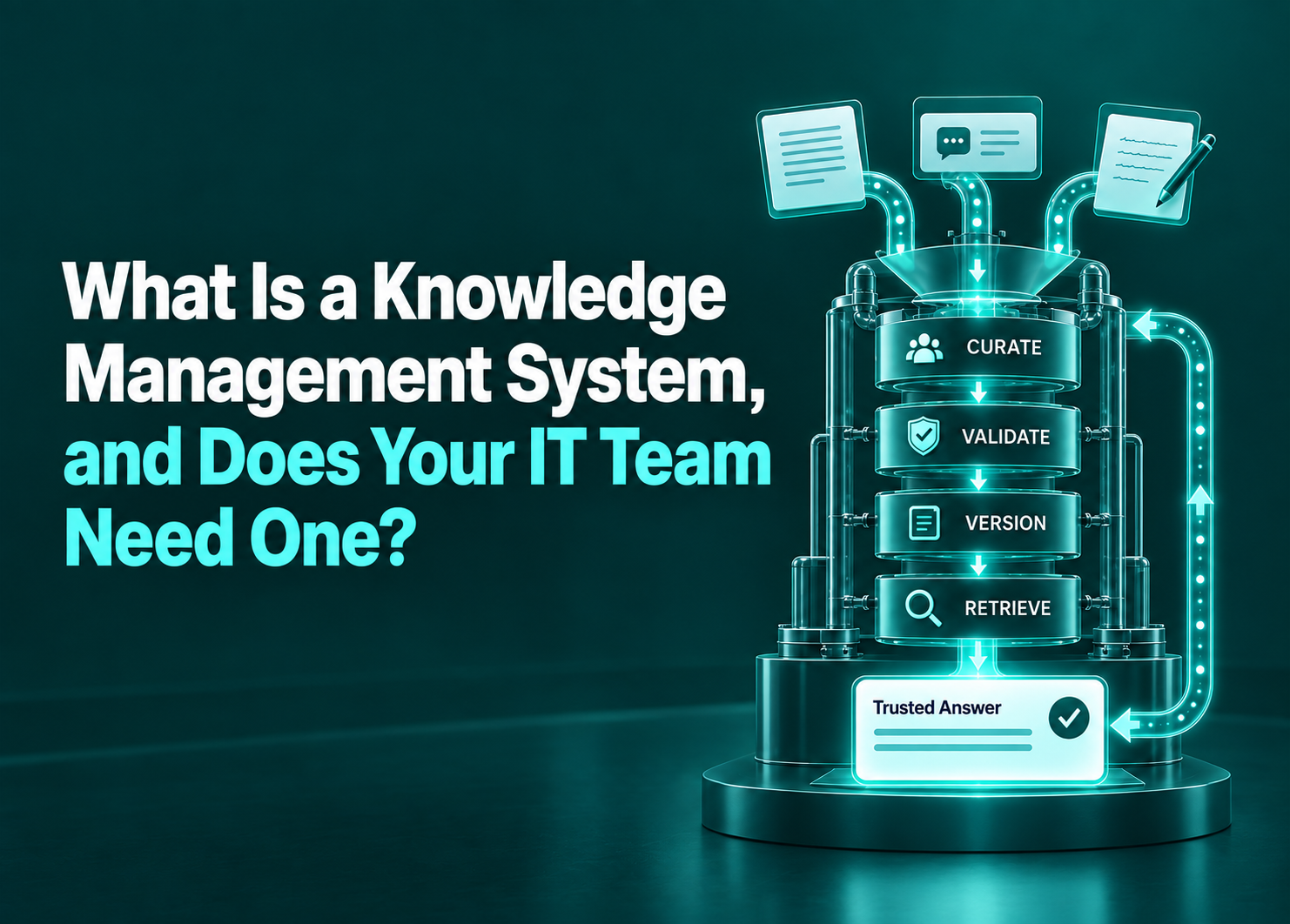
A knowledge management system needs four capabilities to work well and scale.
- Capture: how something moves from a person's head into a documented form. In IT this is usually the resolution of a ticket, which is why Knowledge-Centered Service ties article creation to case closure rather than treating it as a separate project. If capture depends on people finding spare time to write, you do not have a capture mechanism.
- Structure: how content is categorized and related, so readers can navigate it and owners can maintain it. Structure includes the taxonomy and the metadata that says who an article is for and where it applies.
- Retrieval: how somebody gets the right thing at the moment they need it. Historically a search box. Increasingly a question answered in the tool the person is already working in. Current AI reads content in the shape it already exists, so retrieval depends far more on content being current and consistent than on how it is formatted, which is the argument of our AI knowledge base piece.
- Governance: who owns each article, when it is reviewed, how it is retired, and who is accountable when it is wrong. This is the component organizations skip, and skipping it is why knowledge bases decay into something staff learn to distrust.
A system missing any one of these is not a system. A tool purchase supplies structure and retrieval. Capture and governance are organizational, and no vendor can sell them to you.
How a KMS differs from similar-sounding things
Several other systems deal with enterprise knowledge, and knowledge management systems often get confused with them.
A knowledge base is the content store. It is a component, not the system. Owning one does not mean you have knowledge management, in the same way owning a ticketing tool does not mean you have incident management.
A document management system handles files: versioning, storage, retention, access. It cares about the document as an object. Knowledge management cares about the answer inside it, and whether that answer is current, owned and consistent with everything else you hold.
An intranet is a publishing and communication channel. It pushes information out on a schedule set by the publisher. Knowledge management answers a question at a time set by the reader.
Enterprise search indexes across systems and returns ranked results. It improves findability across what exists and has no opinion about whether the content is any good, current, or owned. Search is a retrieval strategy, not a knowledge management system, though it is frequently sold as one.
Does your IT team need one?
If any of these four signals shows up in your data, there is a solid case for a knowledge management system.
- Repeat contact on the same issue. If the same question arrives more than a handful of times a month, it is a documentation gap with a measurable cost. The threshold depends on your volume, but the pattern is usually obvious in a ticket export.
- Resolution times that vary by who picked up the ticket. Wide variance on the same issue type means the knowledge lives in individuals rather than anywhere shared. That is a risk as well as an inefficiency, since it walks out when they do.
- Onboarding that takes longer than it should. New agents becoming productive slowly is a knowledge problem wearing a training label.
- Search that people have given up on. If your staff raise a ticket without searching first, they have learned that searching does not work. That is the hardest signal to reverse, because it persists long after the underlying content improves.
There is also a real counter-case.
If you run a small team, resolve mostly non-repeating issues, have low turnover and no compliance requirement to document procedures, a formal knowledge management system is overhead you will not recover. Documenting the recurring issues inside your existing service desk tool is a proportionate answer, and the failure mode of over-engineering this is a system nobody maintains, which is worse than no system because people trust it once and then stop.
The table below can help you decide whether a KMS will add value to your operations.
| Signal in your data | What it usually indicates | Proportionate response |
|---|---|---|
| Same issue recurring monthly | A documentation gap with a known cost | Document the top recurring issues where tickets already live |
| Resolution time varies widely by agent | Knowledge held in individuals | Capture at closure, tied to the ticket |
| Slow time to productivity for new agents | No structured knowledge path | Capture what experienced agents know at the moment of resolution |
| Staff raise tickets without searching | Learned distrust of retrieval | Fix retrieval first; more content will not help |
| None of the above, small team, low turnover | Knowledge management is not your constraint | Do not stand up a system |
Where it overlaps with the service desk and with search
Your service desk is where demand arrives and where capture should happen, because the moment a ticket is resolved is the only reliable moment somebody knows the answer and has it in front of them.
Enterprise search is where content becomes findable across the systems it is scattered over, which matters because a meaningful share of what people need was never written as a knowledge article at all.
Knowledge management is the layer that decides what should exist, owned by whom, reviewed when. Without it, capture produces volume nobody curates and search retrieves content nobody trusts.
You can run all three from separate products. Most organizations should not, because the boundaries between them are where content goes stale and ownership gets lost.
What a knowledge management system will not do
It will not make people write. Capture has to be embedded in work that is already happening, or it will not happen.
It will not settle disagreements about what is correct. When two teams document the same process differently, that is an organizational question, and a tool will faithfully store both versions and serve them at random.
And it will not survive being nobody's job. The single most reliable predictor of whether a knowledge management system works two years after launch is whether a named person is accountable for it. Not a committee.
Where Rezolve.ai fits in a knowledge management system
We sell into this problem, so discount what follows accordingly.
Our view is that the four components should not be four products. Rezolve.ai puts retrieval inside Microsoft Teams, Slack and the phone line, so nobody has to remember that a knowledge base exists in order to benefit from it. Because Agentic Sidekick also resolves and completes the request, an answer can become the finished task instead of a document about the task. And Rezolve.ai's request analytics turn the capture question from "what should we write?" into a ranked list drawn from what was actually asked, which is the component most teams have no mechanism for.
Governance of the knowledge itself stays with you. We can show you where the gaps are and who is asking; we cannot decide who owns an article or what your organization considers correct.
Before evaluating anything, run the signals in the table above against your own ticket data. If none of them fire, the answer to the question in the title is no, and that is a legitimate result. If several do, you will know which of the four components is your constraint before a vendor tells you which one to buy.
Last updated on October 29, 2026
Get summary with:
See the agentic service desk in action
Watch Rezolve.ai autonomously resolve real IT and HR tickets: governed, auditable, glass-box.
Frequently asked questions
What is a knowledge management system?
A knowledge management system is the combination of software, process and ownership an organization uses to capture what its people know, keep it accurate, and put it in front of whoever needs it next. It has four components: capture, structure, retrieval and governance. A tool purchase supplies structure and retrieval; capture and governance are organizational and no vendor can supply them.
What is the difference between a knowledge management system and a knowledge base?
A knowledge base is the content store, which is one component of the system. The system also includes how knowledge gets captured in the first place, how it is structured, how people retrieve it, and who owns and reviews it. Owning a knowledge base does not mean you have knowledge management, in the same way owning a ticketing tool does not mean you have incident management.
Is enterprise search the same as knowledge management?
No. Enterprise search indexes across systems and returns ranked results, improving findability across whatever exists. It has no opinion about whether that content is accurate, current or owned. Search is a retrieval strategy and one component of a knowledge management system, though it is frequently sold as the whole thing.
How do you know if your IT team needs a knowledge management system?
Four signals, all visible in data you already have. The same issue recurring monthly, which is a documentation gap with a measurable cost. Resolution times that vary widely depending on who picked up the ticket, which means knowledge lives in individuals. Slow time to productivity for new agents. And staff raising tickets without searching first, which means they have learned retrieval does not work.
When does an IT team not need a knowledge management system?
If you run a small team, resolve mostly non-repeating issues, have low turnover and no compliance requirement to document procedures, a formal system is overhead you will not recover. Documenting the recurring issues inside your existing service desk tool is proportionate. Over-engineering produces a system nobody maintains, which is worse than none, because people trust it once and then stop.
What makes a knowledge management system fail?
Most often the absence of governance. Content ages, nobody owns it, staff learn to distrust it, and they stop searching. The single most reliable predictor of whether a system still works two years after launch is whether a named person is accountable for it rather than a committee. Capture that depends on people finding spare time to write is the other common failure.